
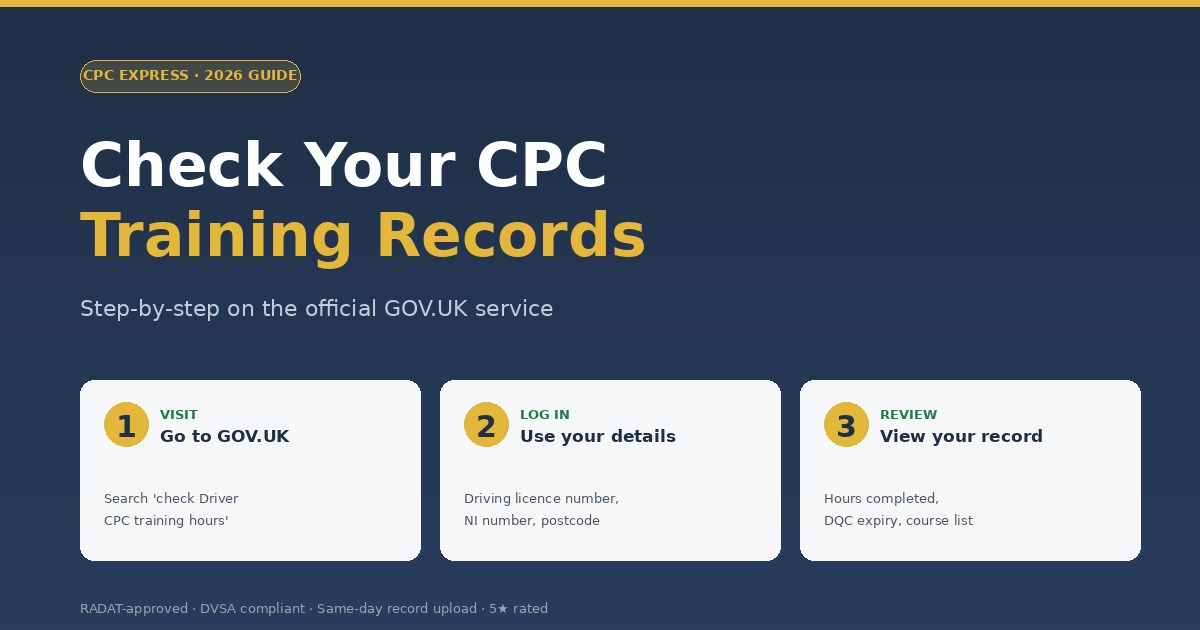
To check CPC training records, visit the official GOV.UK Driver CPC training records service. Log in with your driving licence number and personal details to see exactly how many hours you've completed in your current 5-year cycle, plus your DQC expiry date.
Knowing how to check CPC training records is one of the most useful habits a professional driver can have. It takes 5 minutes, costs nothing, and tells you exactly where you stand on compliance — well before any roadside check or DQC expiry.
This step-by-step guide walks you through the official GOV.UK service, what each part of your record means, and what to do if hours are missing or wrong.
Why You Should Check CPC Training Records Annually
Most drivers only check their CPC training records when their employer asks or their DQC is about to expire. By then, problems are harder to fix. Annual checks give you:
- Early warning if hours haven't uploaded correctly
- Confidence that you're on track for renewal
- Proof of compliance if your employer asks
- Time to fix discrepancies before they become urgent
- Better planning for spreading your remaining hours
How to Check CPC Training Records: Step-by-Step
The official GOV.UK service is the only authoritative source. Don't trust third-party "CPC checkers" — they don't have access to live DVSA data.
Visit the GOV.UK service
Go to gov.uk/check-your-driver-cpc-periodic-training-hours. This is the only official URL — bookmark it.
Click "Start now"
You'll be taken to a sign-in page. If you've used the service before, you can sign in directly. If it's your first time, you'll need to register.
Enter your details
You'll need your driving licence number, National Insurance number, and the postcode registered on your driving licence. Have your driving licence to hand.
Set up an account (first time only)
If registering, GOV.UK will post a password to your registered address — this can take a few days. Plan for this if you're trying to check records urgently.
View your records
Once logged in, you'll see your current 5-year cycle, hours completed, DQC expiry date, and a list of every approved course you've attended.
Save or screenshot the record
Keep a copy for your own records and as proof in case of a roadside check or employer audit.
What to Look For When You Check CPC Training Records
Once you're in, focus on these key fields:
- DQC expiry date — when your current qualification runs out
- Hours completed in current cycle — should add up correctly toward 35
- Hours remaining — how many you still need to book
- Course list — every uploaded course with date and provider
- National vs International marker — confirms which qualification you're tracking toward
- Latest upload date — recent courses should appear here within a few days
Common Issues When You Check CPC Training Records
Hours not showing
Provider uploads can take up to 5 working days to appear. Wait the full week before contacting your provider. If hours still don't show, read our guide on CPC hours not showing — what to do.
Hours showing under wrong type
If you intended International CPC but a course was logged as National (or vice versa), contact your provider immediately. Mistakes can usually be corrected if caught early.
Wrong personal details
If your DQC expiry, name, or licence number looks wrong, contact DVSA directly through GOV.UK. Don't rely on the provider — for personal record corrections, only DVSA can update.
Account locked or password lost
You can reset via the GOV.UK service. New passwords are typically posted, so allow a few days. Plan ahead — don't wait until the day before your renewal to attempt a password reset.
💡 Set an annual reminder to check CPC training records — pick a memorable date like your birthday or the anniversary of your last renewal. The 5-minute habit prevents 99% of compliance surprises.
What If You Can't Access the GOV.UK Service?
Some drivers struggle with the registration process. Common workarounds:
- Visit a GOV.UK help page — there's a dedicated helpline for the CPC training records service
- Ask DVSA directly — they can confirm your hours over the phone if you provide ID
- Get your provider to confirm — CPC Express keeps records of every course you've taken with us
- Check your physical DQC — the expiry date on the card itself is the legal deadline
How to Plan After You Check CPC Training Records
Once you know where you stand, plan your next steps:
- If you're up to date: set a reminder for next year and move on
- If you have hours to do: work backwards from your DQC expiry and book sessions now
- If you've already expired: read our guide on what to do when your Driver CPC expires
- If you're spread out across 5 years: consider our split training guide for the best schedule
CPC Express runs courses every week, with same-day upload to GOV.UK so your record updates fast.
Frequently Asked Questions
Is the GOV.UK CPC training records service free?
Yes, completely free. Don't pay any third party for access — only the official GOV.UK service has live data, and it costs nothing.
Can someone else check my CPC training records for me?
No. You must log in with your own details. If your employer needs proof, you can screenshot or print your record and share it with them yourself.
How often should I check my CPC training records?
At least annually. After every course is also a good habit — it confirms your provider has uploaded the hours correctly.
Why are my recently completed hours not showing?
Provider uploads typically take 1–5 working days. If hours still aren't showing after a week, contact your provider directly. Read our guide on CPC hours not showing for more.
Do I need a Government Gateway account?
You'll need to set up a sign-in for the CPC training records service the first time you use it. After that, you can log in directly with your details.
What do I do if my GOV.UK record shows fewer hours than I've completed?
First, wait 5 working days for any recent courses to upload. If hours are still missing, contact the relevant provider with your booking confirmation — they can usually trace and fix the upload.
Need to top up your CPC hours?
Book your next course in minutes. From £16.99 per 3.5-hour session. Same-day record upload.
View Available Courses →