
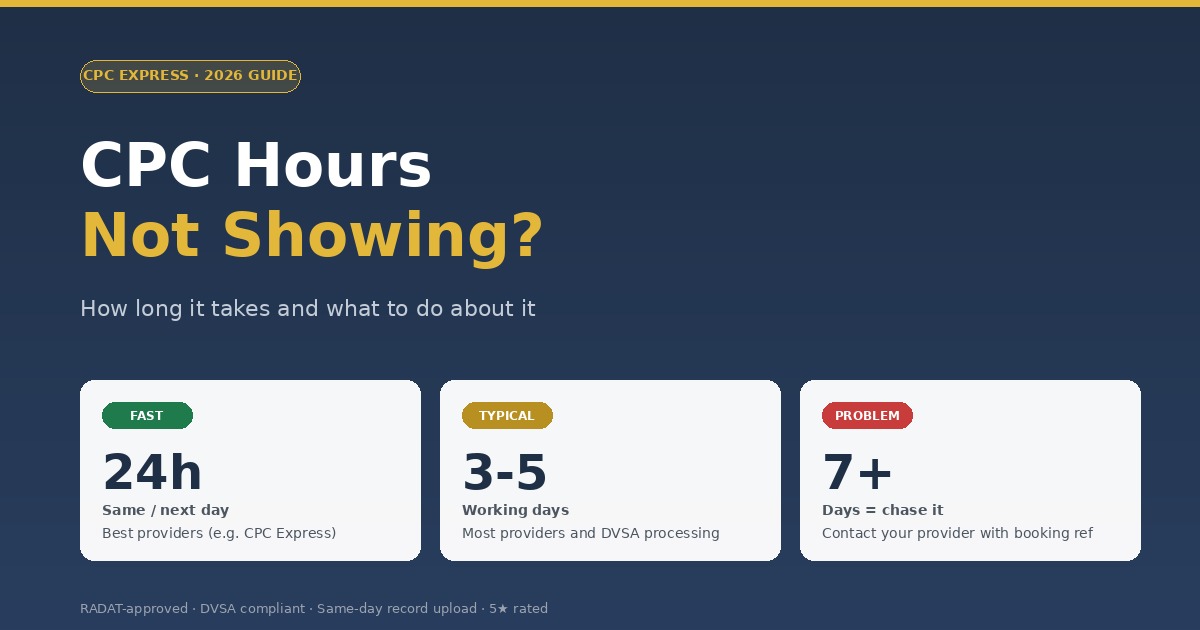
If your CPC hours not showing on GOV.UK after a course, don't panic. Most uploads complete within 1–5 working days. With CPC Express, hours typically appear the same or next day. If hours still aren't showing after a week, contact your provider with your booking confirmation.
Few things cause more anxiety than your CPC hours not showing on the GOV.UK record after you've completed a course. You showed up, did the work, and now the system says nothing happened.
The good news: in 99% of cases, the hours will appear — they just take a few days. This guide explains the typical upload timeline, why delays happen, what to do if they're really stuck, and how to avoid the problem in the future.
How Long Should You Wait Before Worrying?
Different providers upload at different speeds. As a rule:
Same-day or next-day upload. CPC Express uploads same day after every course.
Typical for most providers. The DVSA system can also take time to process uploads.
If hours still aren't showing after a full week, contact your provider directly.
Why Are Your CPC Hours Missing From Your Record?
The most common reasons hours don't appear immediately:
- Provider processing time. Most providers upload in batches once or twice a week, not after every course.
- DVSA system delay. Even after a provider uploads, GOV.UK can take 24–48 hours to process and display.
- Wrong driver details. If your driving licence number was entered incorrectly, hours upload to a record that isn't yours.
- Course not registered correctly. Rare, but if a provider's course wasn't registered with the consortium properly, hours may not validate.
- Recent system maintenance. GOV.UK occasionally has scheduled maintenance windows.
- Course type mismatch. Hours uploaded against National when you wanted International (or vice versa) may show but be flagged.
Step-by-Step: What to Do If Your Hours Are Missing
Wait the full 5 working days
Most upload delays resolve themselves. Check the GOV.UK service after 5 working days — but don't keep refreshing every hour, that won't make it faster.
Verify on the official GOV.UK service
Use the official Driver CPC training records service. Make sure you're logging in with the same details (driving licence number) you gave to your provider.
Locate your booking confirmation
Find the email confirmation from when you booked. It should include the date, course name, and a reference. You'll need this when contacting the provider.
Contact your training provider
Email or call your provider with the booking reference and your driving licence number. Ask them to confirm the upload status. Most issues are resolved at this step.
Escalate to DVSA if needed
If your provider confirms they've uploaded but GOV.UK still shows nothing, contact DVSA via the GOV.UK contact page. They can investigate the database side.
Don't drive on assumption
If your DQC has expired and you're waiting for hours to show, you cannot drive professionally. There's no grace period. Don't assume the upload is "almost there".
💡 Keep your booking confirmation email for at least 12 months. It's your proof of attendance if there's ever a dispute about whether a course was completed.
How to Avoid Upload Delays in Future
The drivers who never have this problem follow simple habits:
- Use providers with same-day upload — CPC Express delivers under the NLTC consortium (AC00591) with same-day uploads as standard
- Double-check details when booking — wrong driving licence numbers cause silent failures
- Verify after every course — log in to GOV.UK 5 days after each session to confirm
- Save booking confirmations — keep a folder of emails so you can prove attendance if needed
- Don't book courses during DVSA maintenance windows — these are rare but can cause delays
What If Your DQC Expires While You're Waiting for the Upload?
This is the worst-case scenario — and unfortunately, it's not uncommon for drivers who leave training to the last minute. If your DQC has expired and you're still waiting for hours to upload:
- Stop driving. Even if you're confident the upload is coming, you legally cannot drive professionally until the GOV.UK record shows enough hours.
- Contact your provider urgently. A reputable provider will prioritise resolving the upload.
- Read our expiry guide. If you're already affected, see what happens if your Driver CPC expires for the fastest fix.
Better still — never let yourself get this close to the deadline. Read our timing guide for how to plan ahead.
How to Verify a Course Really Has Been Uploaded (Step-by-Step Check)
Before assuming your hours are missing, run this quick verification:
- Log in to GOV.UK Driver CPC records
- Confirm the driving licence number on screen matches yours exactly
- Look at your current 5-year cycle dates — make sure you're checking the right cycle
- Check the course list — is the recent course there? If yes, the hours are valid even if the total looks low
- If the course is missing entirely, go to the steps above for chasing it up
For a more detailed walkthrough of the GOV.UK service, read our step-by-step records check guide.
Frequently Asked Questions
How long do CPC hours take to show on GOV.UK?
Typically 1–5 working days. The fastest providers (including CPC Express) upload the same day. Slow providers may take a full week.
What if CPC hours are not showing after 7 days?
Contact your training provider with your booking confirmation. They can confirm whether the upload was sent and trace any errors.
Can I drive while waiting for CPC hours to upload?
Only if your existing DQC is still valid. If your CPC has already expired, you cannot drive professionally until the new hours show on your record.
What proof do I have that I attended the course?
Your booking confirmation email and any course attendance certificate from the provider. Keep these for 12+ months as evidence if there's ever a dispute.
Will my new DQC arrive automatically once hours show?
Yes — once your GOV.UK record shows you've completed the full 35 hours, DVSA issues a new Driver Qualification Card. It typically arrives within 2 weeks of the final upload.
Does CPC Express upload faster than other providers?
Yes — we upload the same day as every course. We operate under the NLTC consortium (AC00591), with direct DVSA system integration. Most drivers see hours appear within 24 hours.
Avoid upload delays — train with same-day upload
CPC Express uploads same day after every course. From £16.99 per 3.5-hour session.
View Available Courses →